ROXBOX
ROXBOX is a Progressive Web App (PWA) designed for private music management and playback. Unlike standard streaming services, ROXBOX allows users to build, manage, and own their complete music collection, stored securely in AWS S3.
The system is designed for audiophiles and fitness enthusiasts alike, featuring built-in workout timers (Norwegian 4x4), Whoop fitness band integration, and a beautiful glassmorphic aesthetic.
By leveraging advanced AI—utilizing both the musiCNN and Llama 3.2 models—the app intelligently discovers and curates your perfect music collection. It also solves the problem of car playback. Your entire cloud library is synchronized to a USB device via your home server, enabling seamless, high-quality playback in your vehicle without relying on cumbersome Bluetooth pairing.
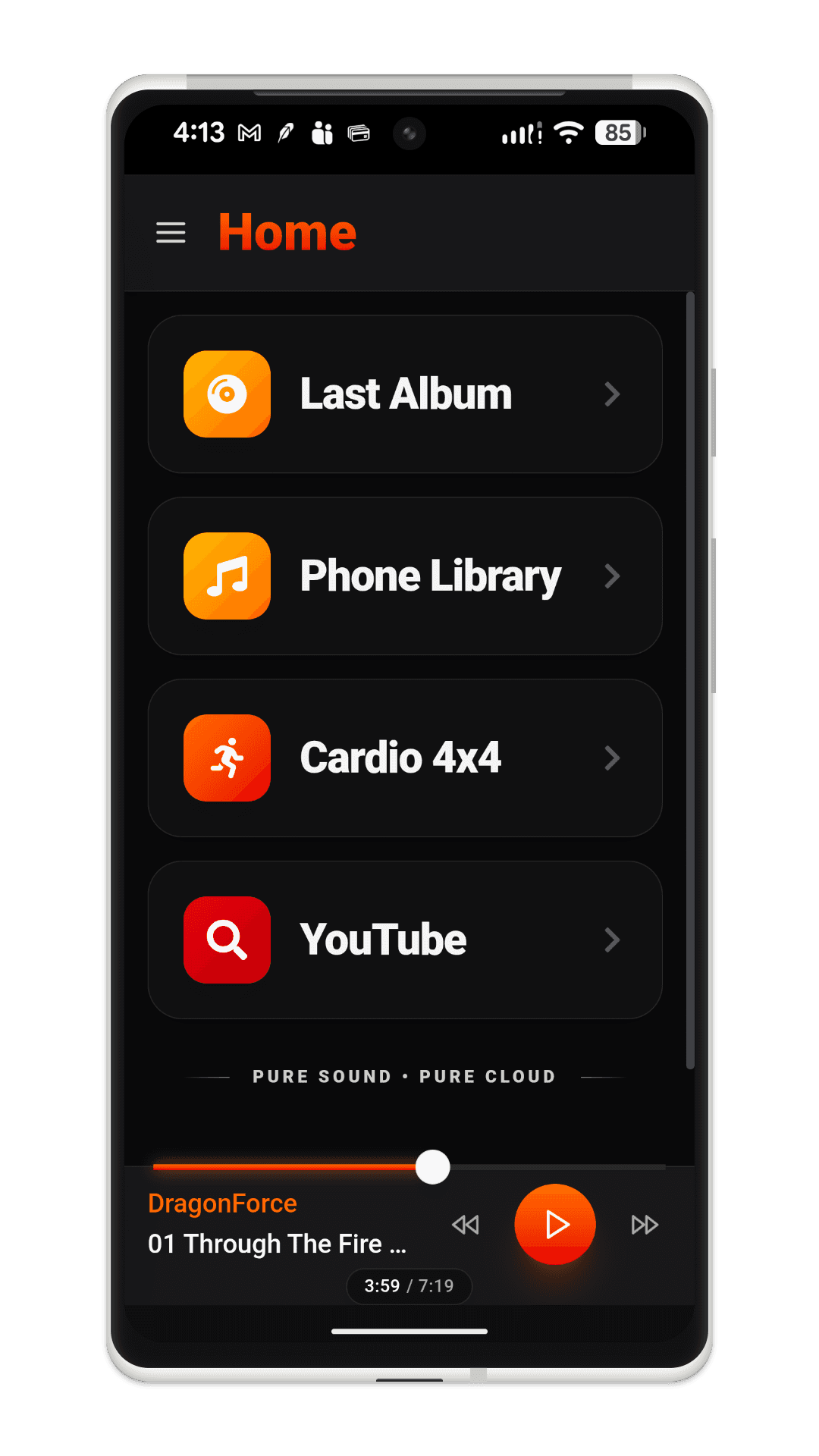
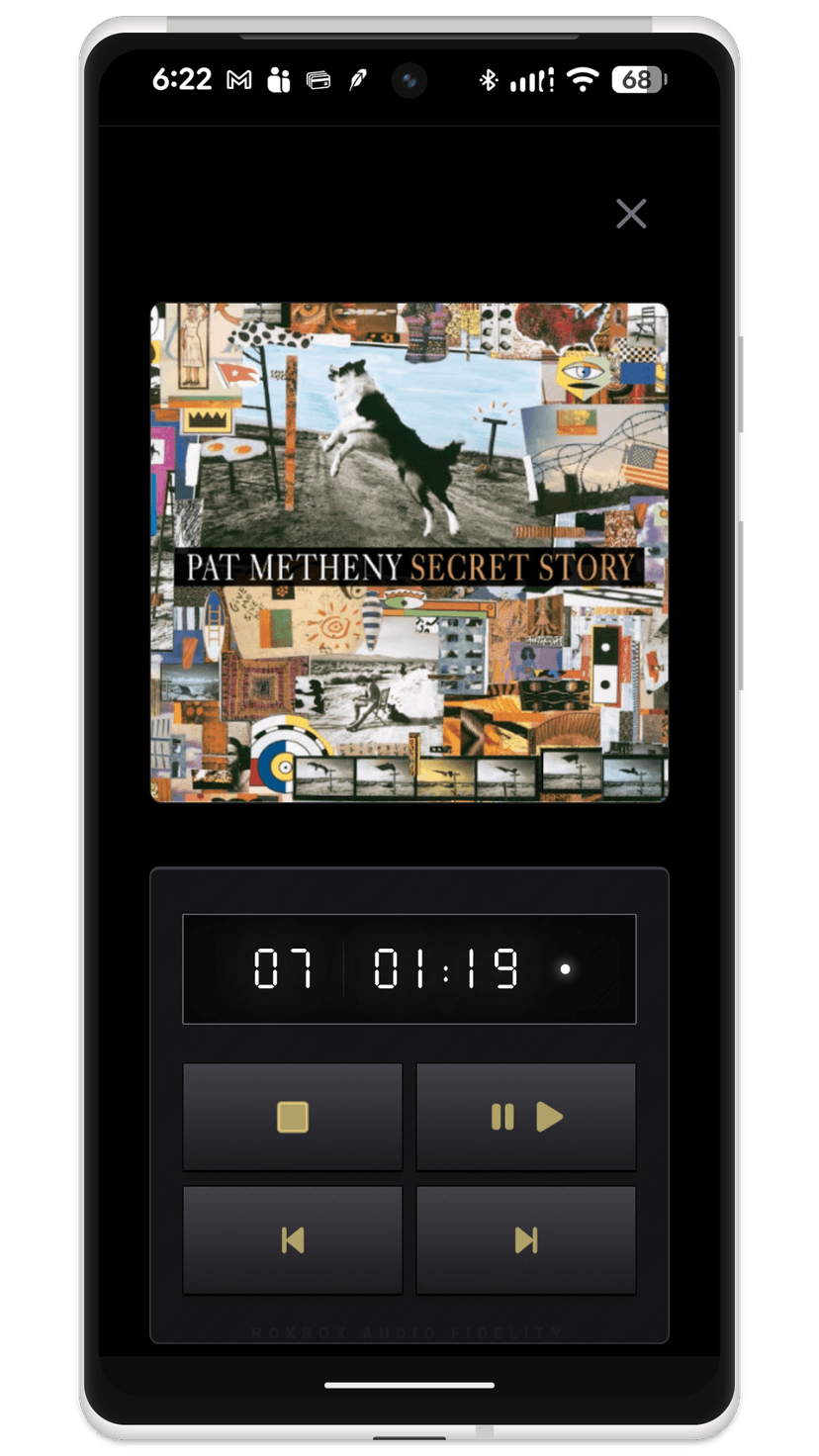
Emphasizing an album-centric approach, the application recreates the user experience of classic CD players. A dedicated "last album" feature on the home screen provides instant continuity, automatically resuming the exact album you were enjoying prior to switching to a podcast or starting a workout session.
System Architecture
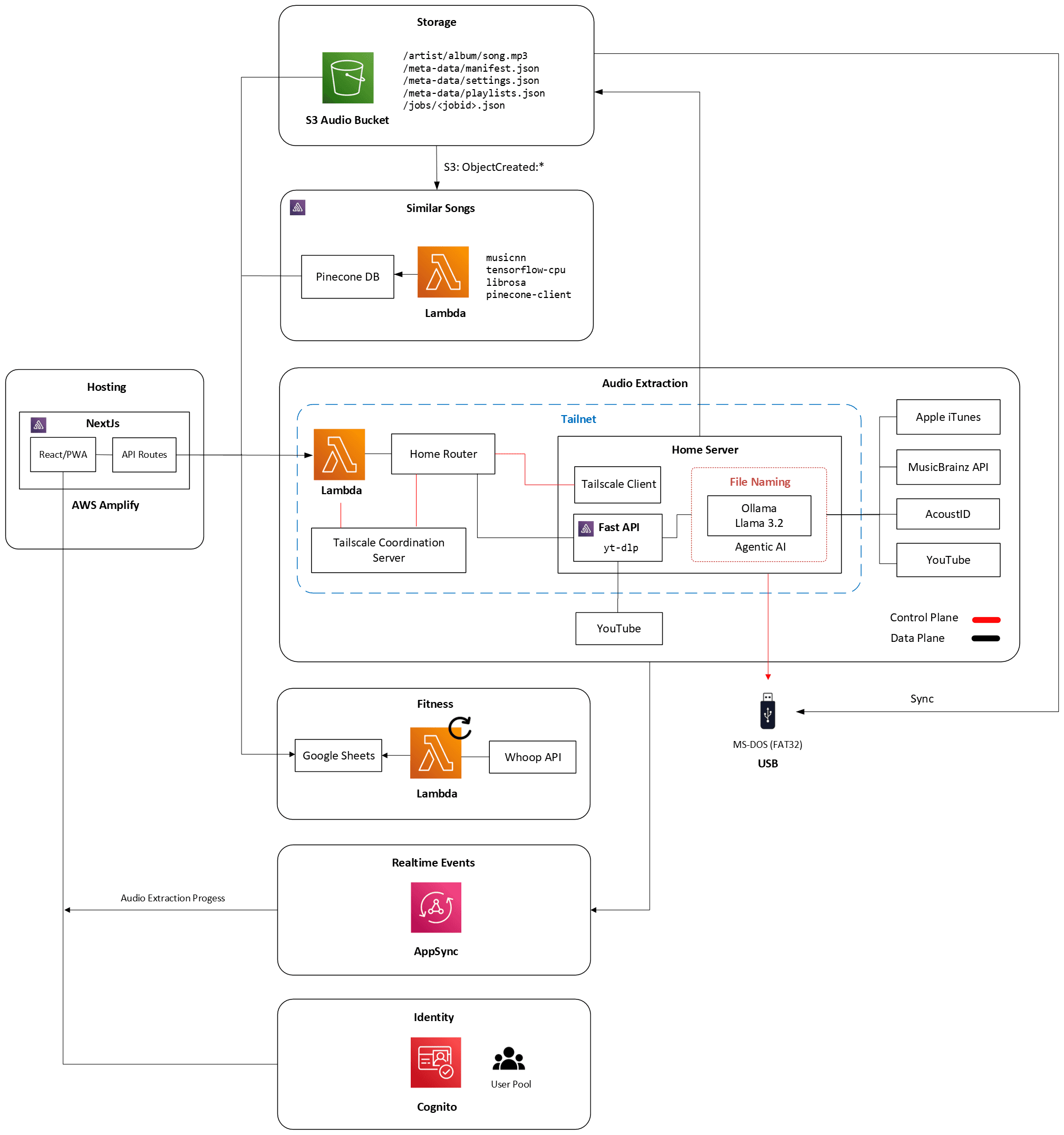
ROXBOX is hosted by AWS Amplify. Built with Next.js, the platform consists of a React frontend coupled with an ephemeral API route layer. The API routes serve as the central hub, interfacing with various external services to deliver the application's full suite of features. The application uses a multi-tier architecture and leverages a Cloud-to-Home Bridge Tailscale mesh network to support YouTube audio extraction and USB device synchronization.
Ease of Use
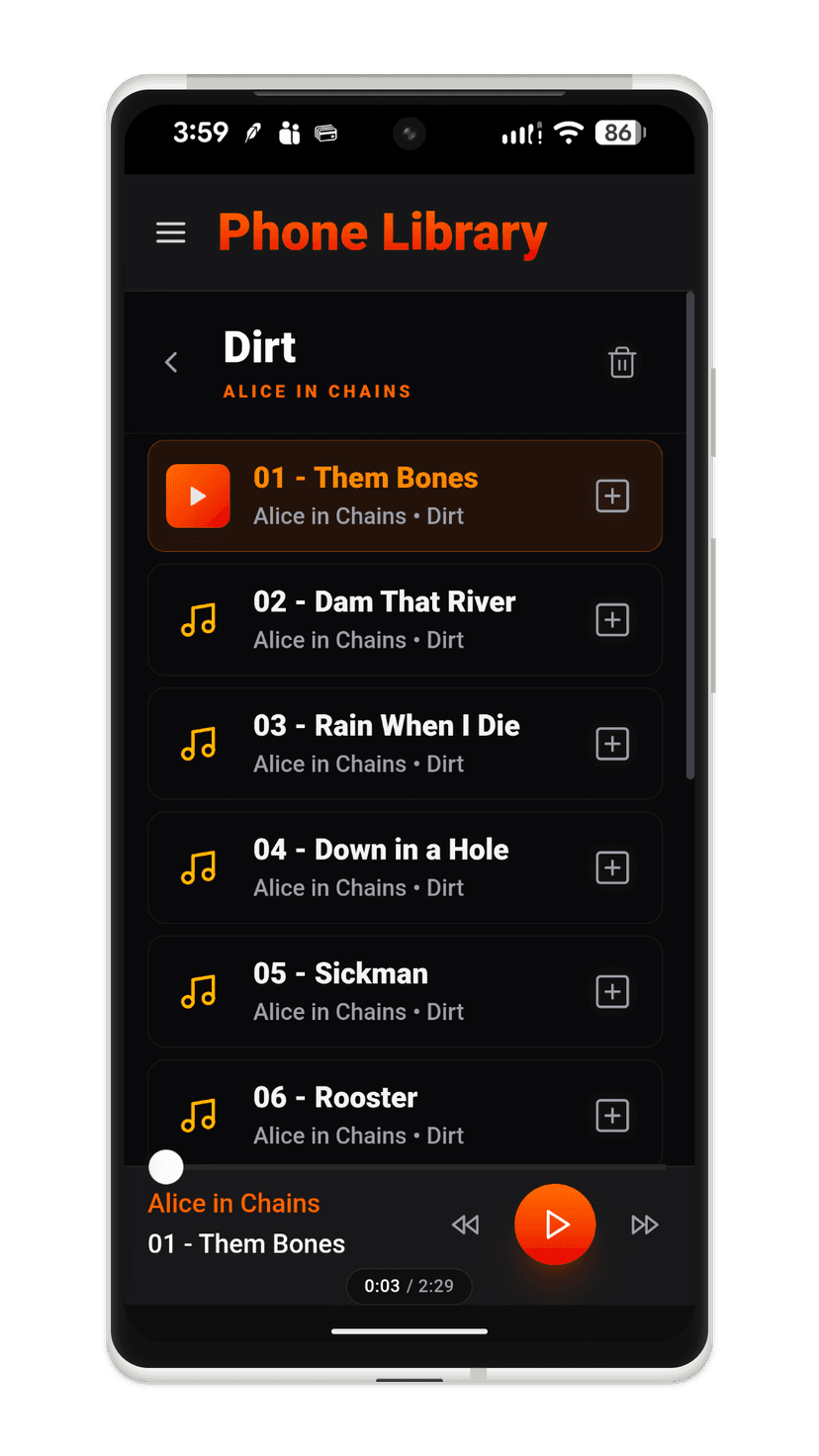
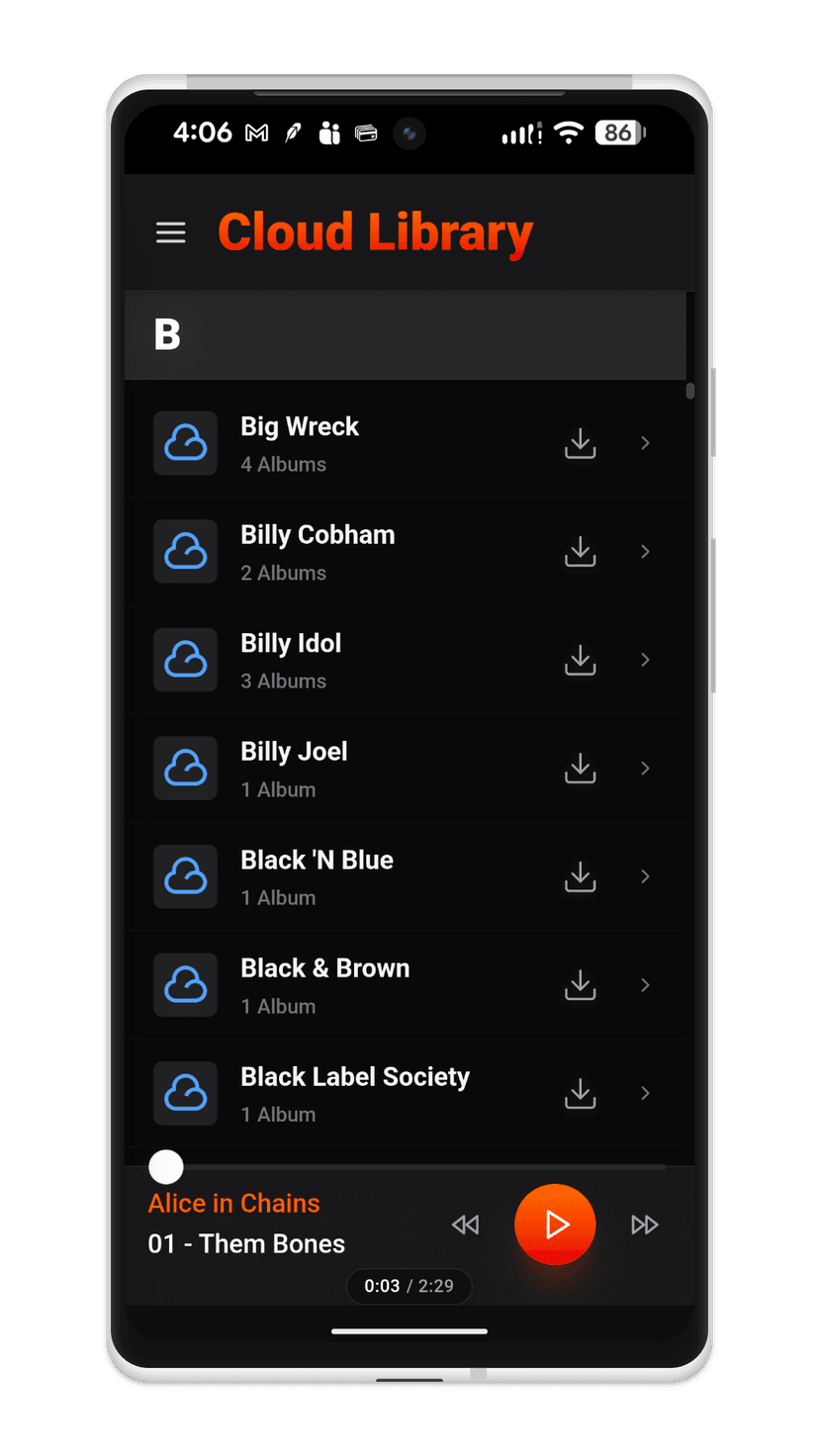
ROXBOX was built to overcome the clunky experience found in all music players. Navigating the library is intuitive, offering seamless scrolling and filtering options by artist, album, or track. Users can effortlessly build playlists with a single click, which are then automatically synced to a USB device to facilitate offline car playback.
AI-Driven Similar Search
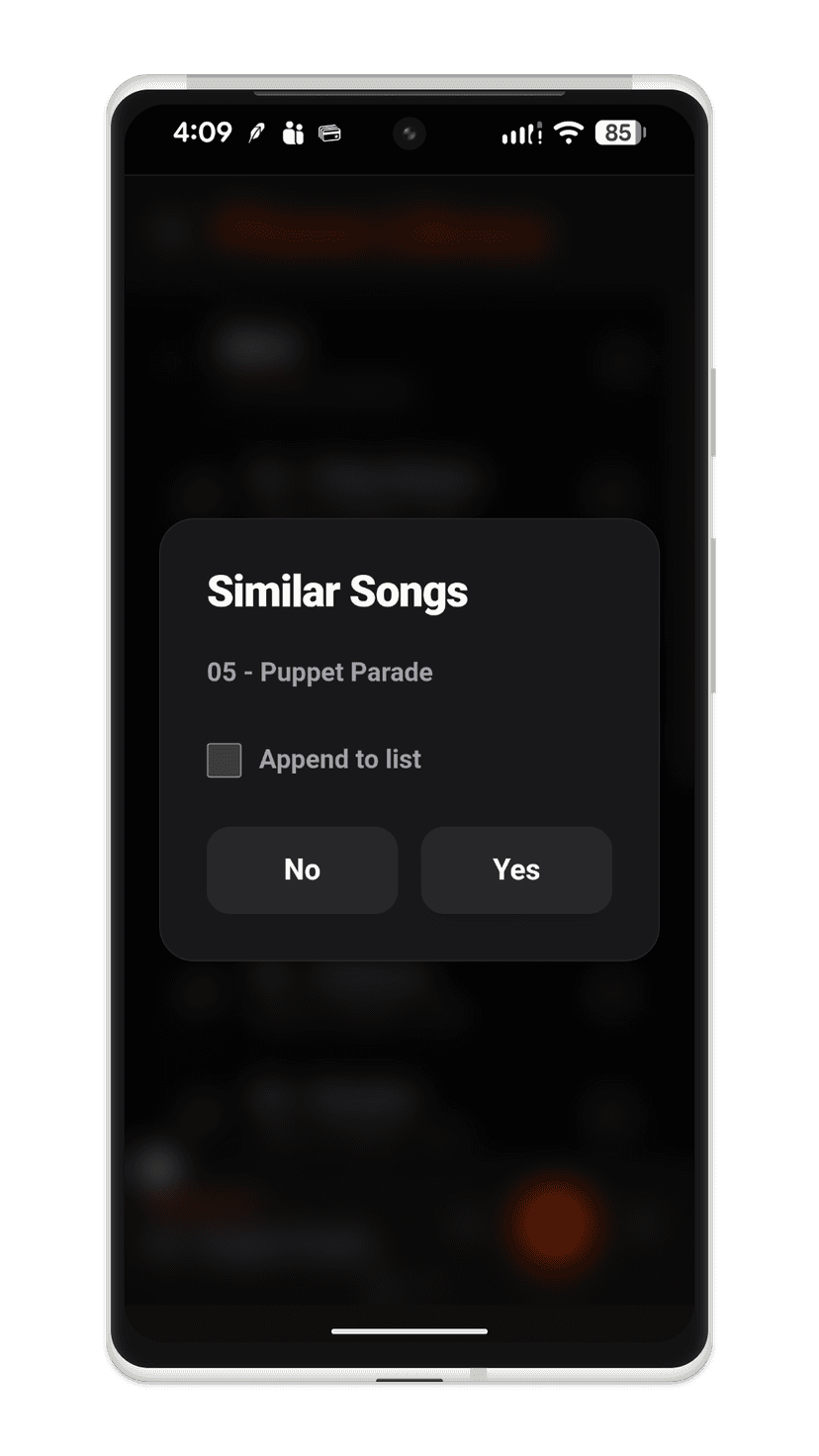
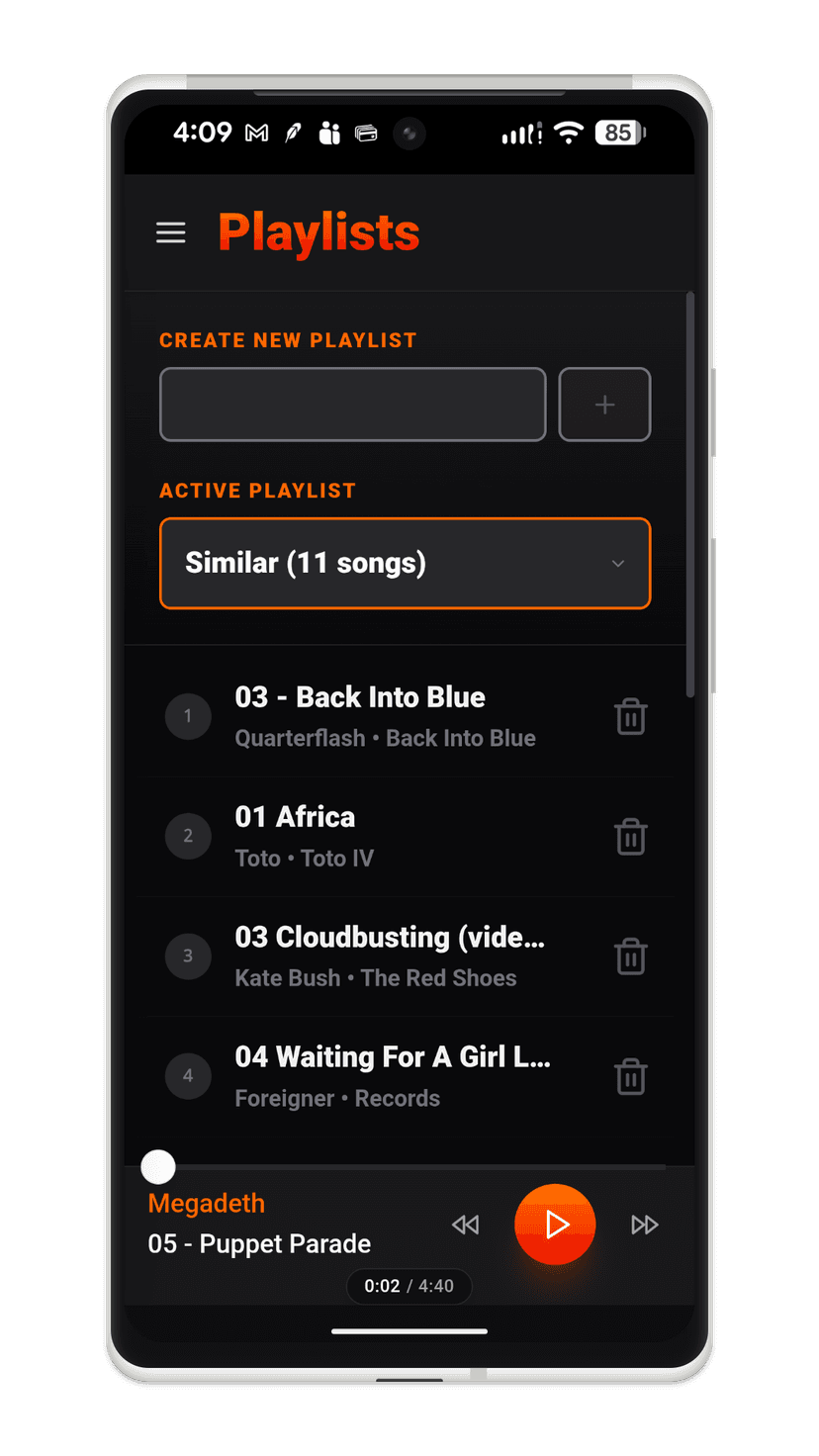
By long-pressing a track at the bottom of the screen, users can trigger the application to identify 10 acoustically similar songs and integrate them into a playlist. This feature offers the flexibility to either generate a completely new 10-song selection or append the discoveries to an existing playlist.
How it Works
The musiCNN (25 MB) deep learning model runs within an automated AWS Lambda function. When a track is uploaded to ROXBOX, this function extracts the audio's acoustic DNA, converts its unique sound profile into a 768-dimensional vector, and stores it in a Pinecone vector database. Because the model weights and heavy audio extraction dependencies exceed the standard 250 MB size limit of a Lambda function, the Lambda function is deployed as a Docker container.
When you long-press a song to find similar tracks, the Next.js API performs a real-time vector similarity search against Pinecone, returning matching results based on acoustic characteristics rather than text metadata. To ensure fresh discovery, the search engine automatically filters out other tracks by the same artist.
YouTube Audio Extraction
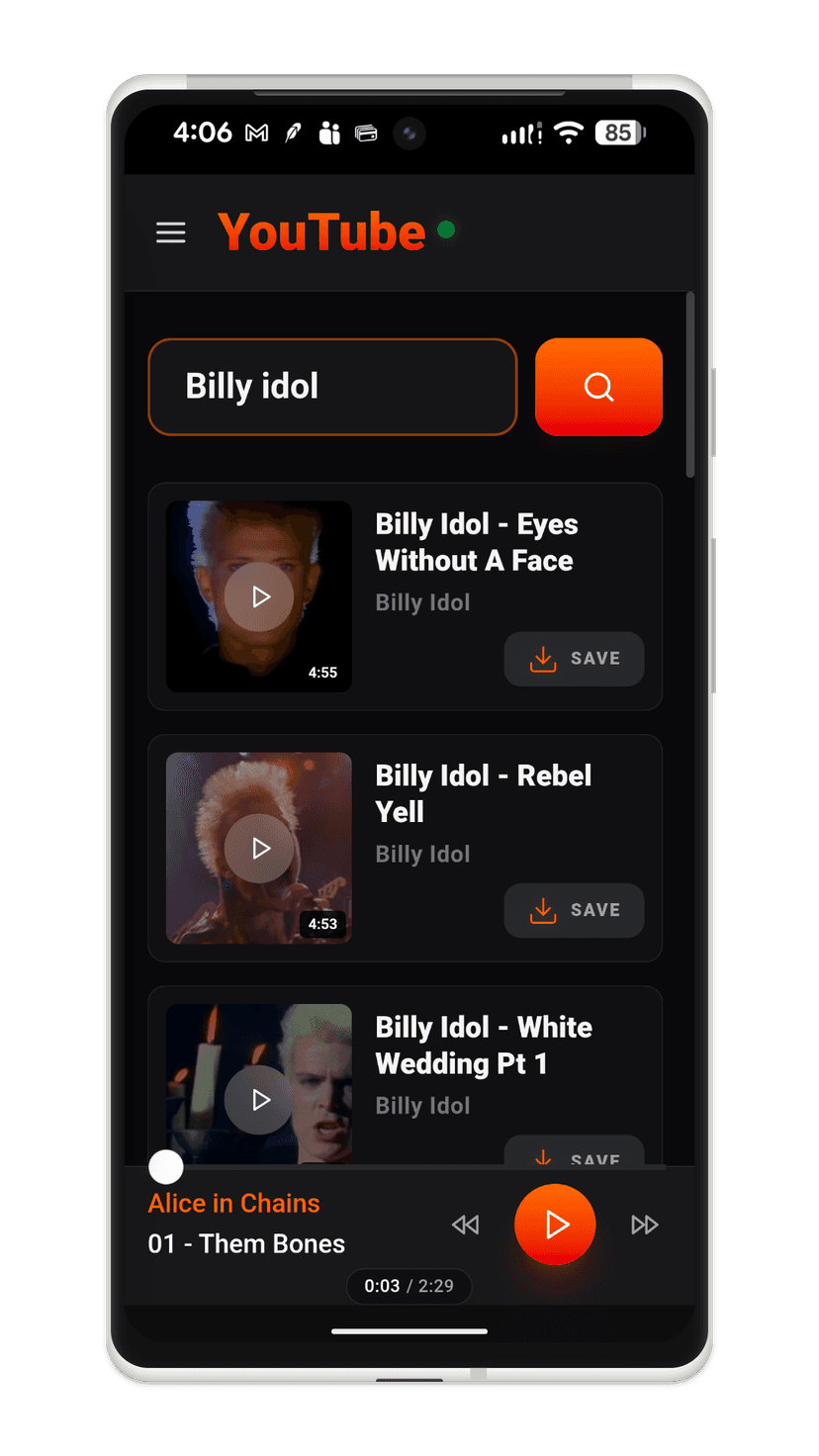
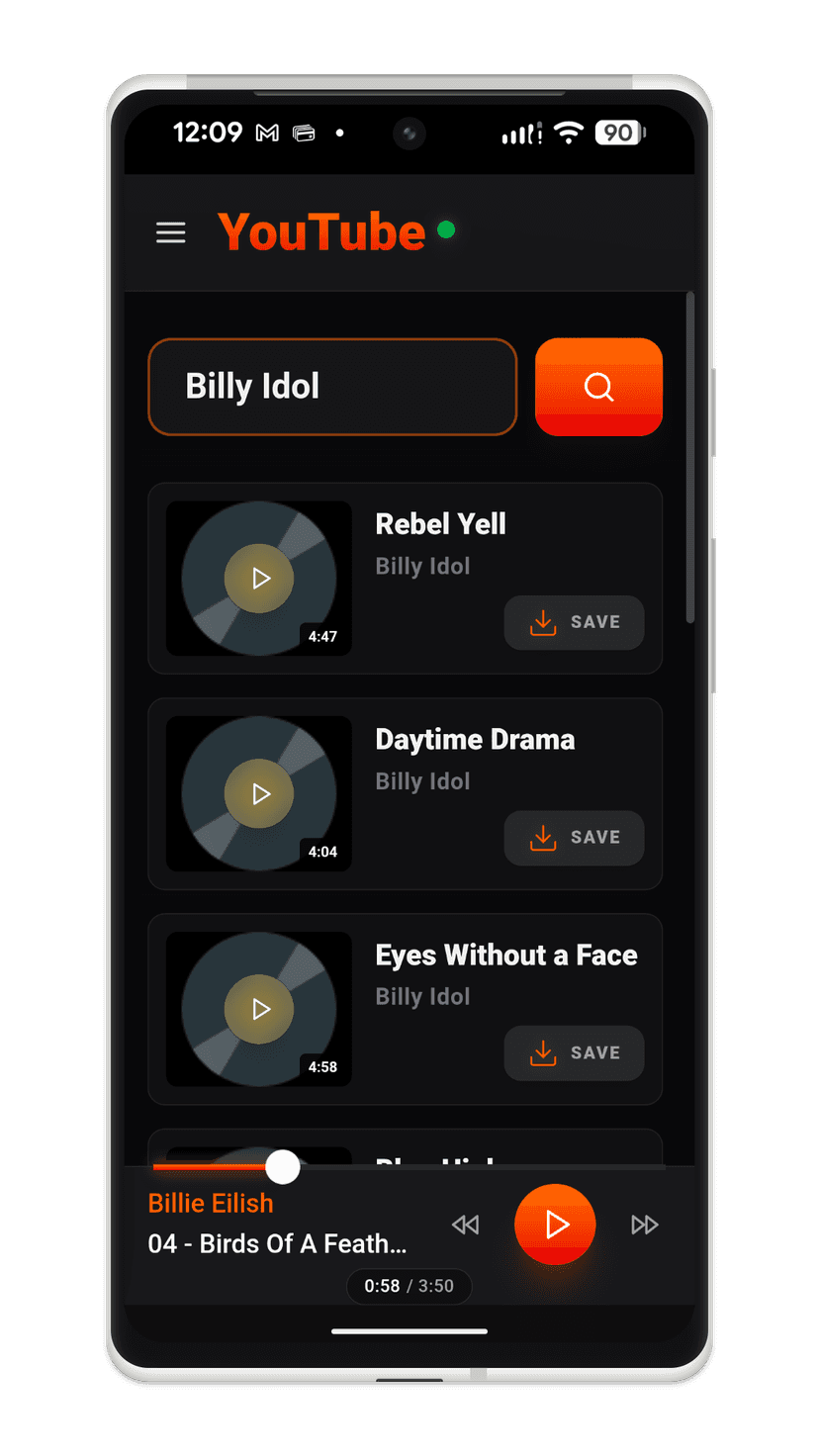
The application allows users to preview music from YouTube on a per-song or per-album basis. When a user decides to download a song, the audio from the song is extracted and automatically added to the user's S3 cloud collection. In album mode, you can easily select from a list of albums to preview and download music directly into S3. All newly added songs are synced immediately to the user's USB drive. The green dot indicator after the YouTube text in the title indicates that the home server is online and the USB drive is connected to the home computer. The indicator will turn yellow if the USB drive is not connected. The indicator will turn red if the home server cannot be reached.
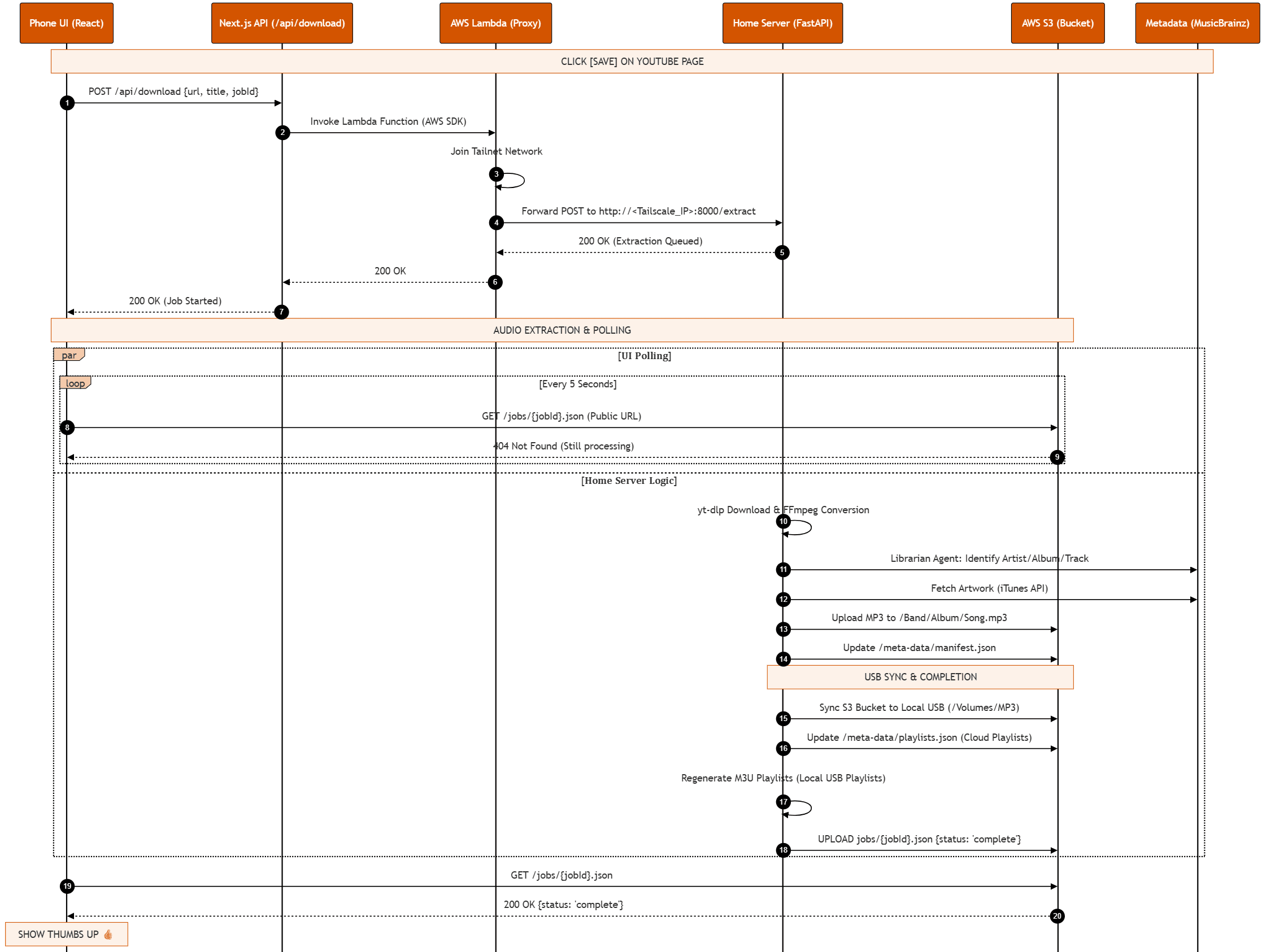
YouTube Audio Extraction: Technical Deets
The Audio Extraction Pipeline follows five sequential steps:
-
The Handoff: A payload containing the video URL, search query, original video title, and a unique
jobIdis sent from the Next.js frontend directly to the AWS Lambda Proxy function. -
The Secure Tunnel: The Lambda Proxy spins up, securely joins a private Tailscale network, and acts as a lightweight proxy passing the JSON payload down to your home server.
{
  "url": "https://www.youtube.com/watch?v=R23D7Gndp7I",
  "action": "download",
  "title": "Oasis - Don't Look Back In Anger",
  "search_query": "oasis dont look back",
  "jobId": "extract_1777854482198"
}
-
Extraction: The Home Server reads the payload and invokes
yt-dlpand FFmpeg to download the video stream and convert it into a high-fidelity MP3 file. A home server was required to get around the IP restrictions imposed by Google and the yt-dlp library. Since the audio extraction runs from a residential IP, this simply appears to look like somebody watching a video. -
Agentic AI Processing & Metadata Cleaning: A local Llama 3.2 (2 GB) model reads the video context and original search intent. Governed by the Librarian Constitution (one page markdown file), the AI operates in an agentic fashion—reasoning about when and how to deploy its three specialized senses (AcoustID for audio fingerprinting, MusicBrainz for canonical releases, and YouTube Metadata for uploader context). This reasoning loop allows it to accurately resolve canonical metadata while filtering out noise and enforcing strict, USB-safe naming conventions.
-
Upload & Sync: The canonical audio file is uploaded to AWS S3 and automatically queued for a debounced synchronization directly to your USB drive, creating a nicely structured music library in the cloud and on a USB device.
Fitness: Norwegian 4x4 Cardio
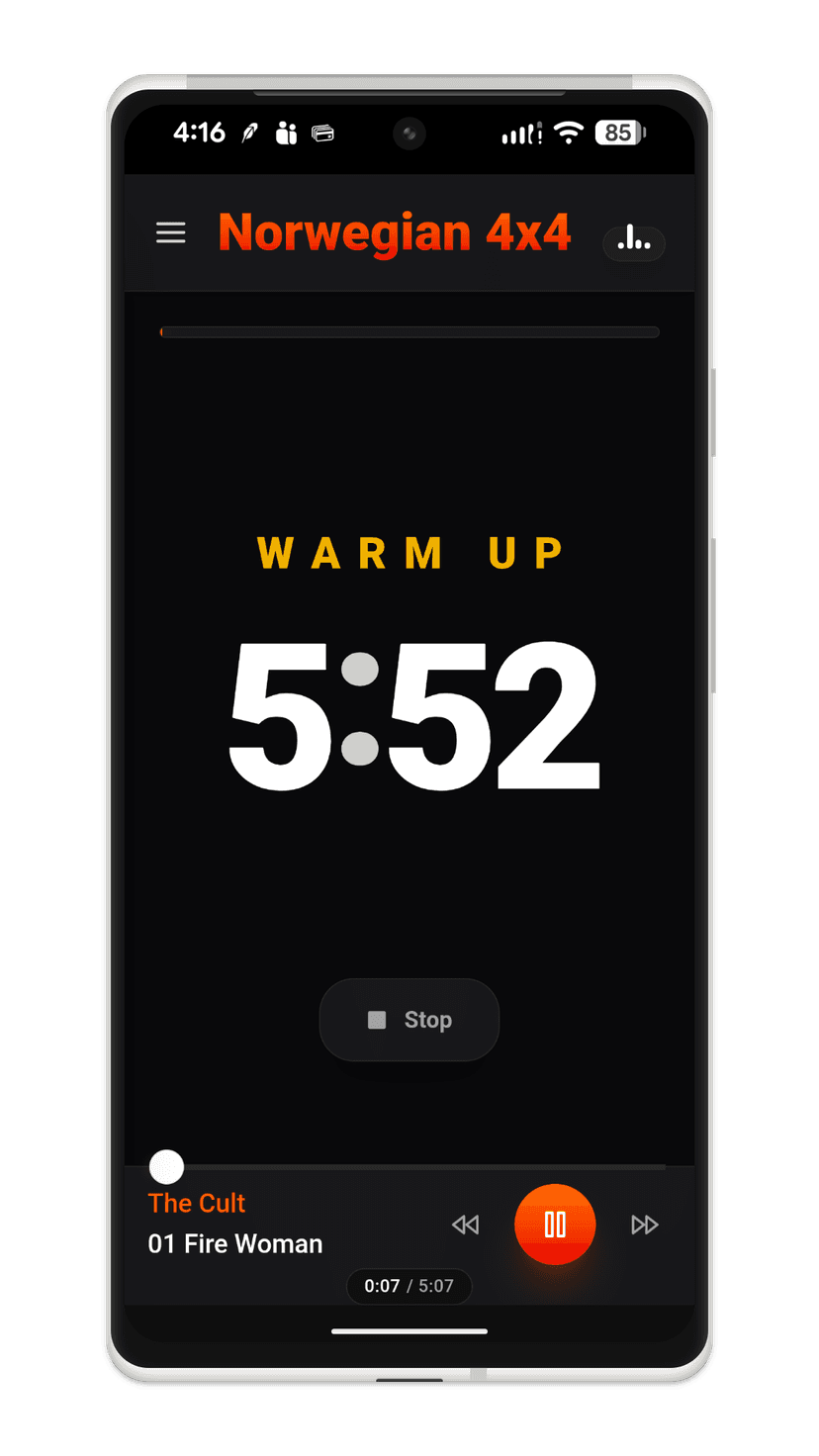
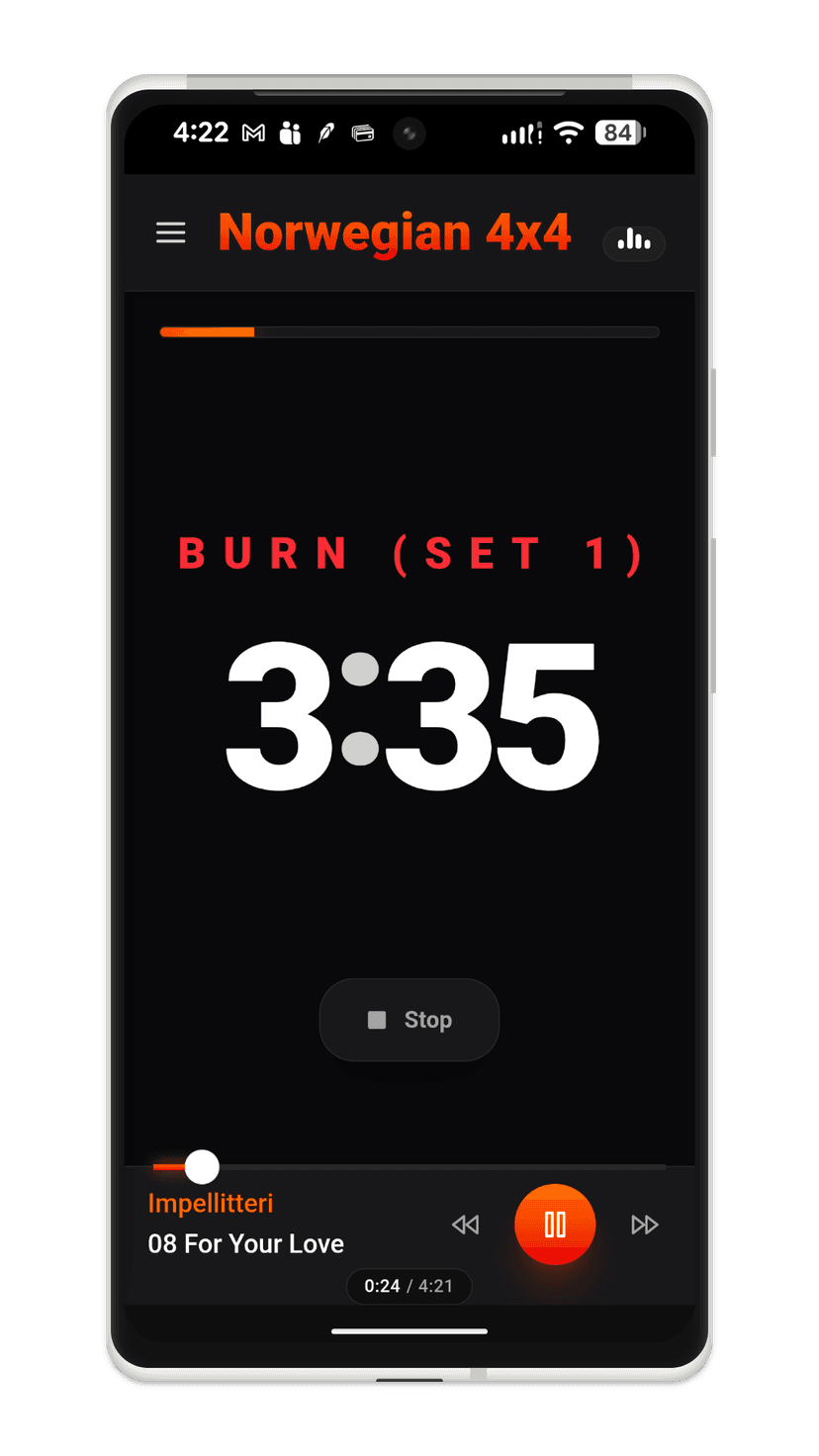
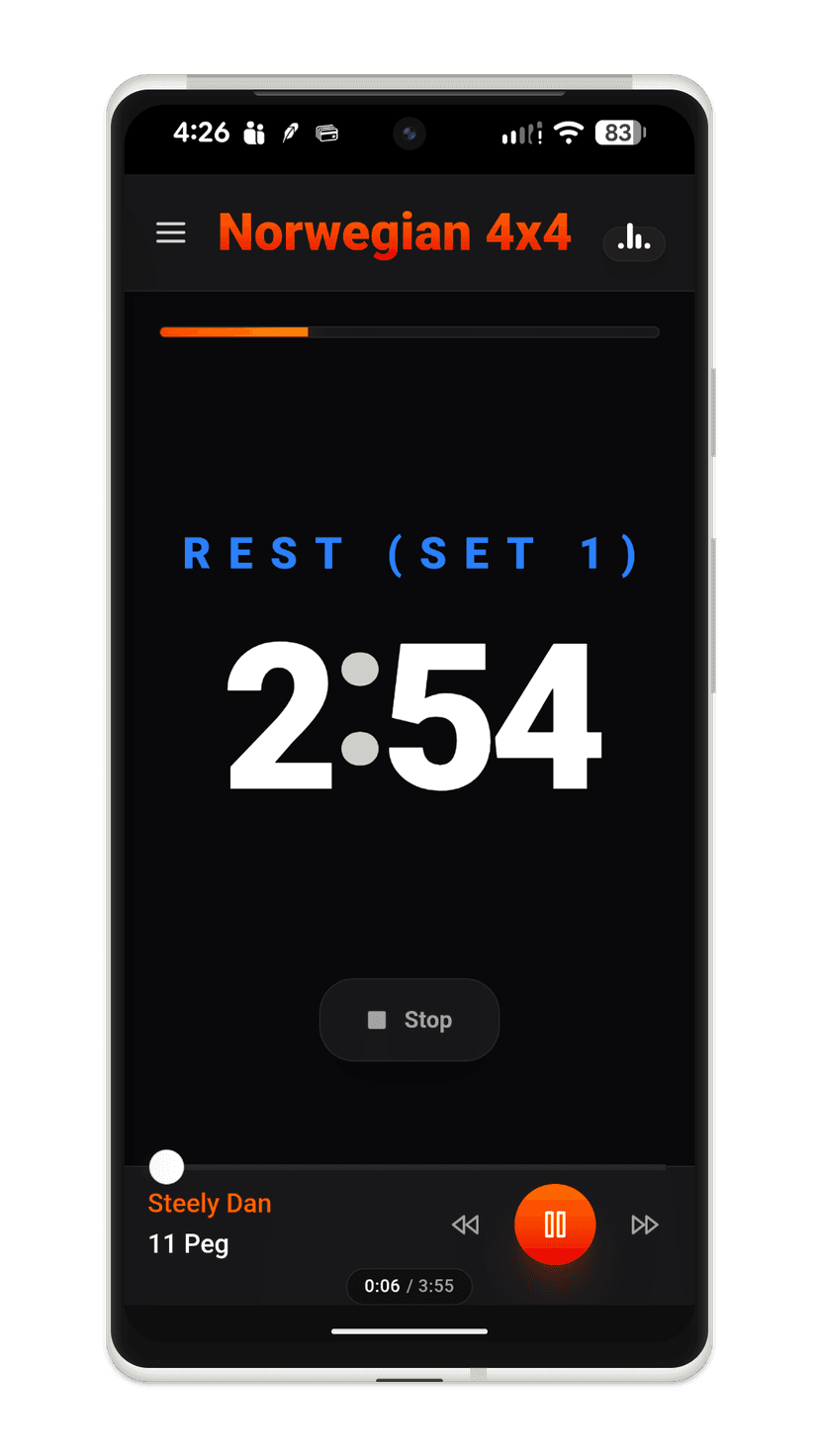
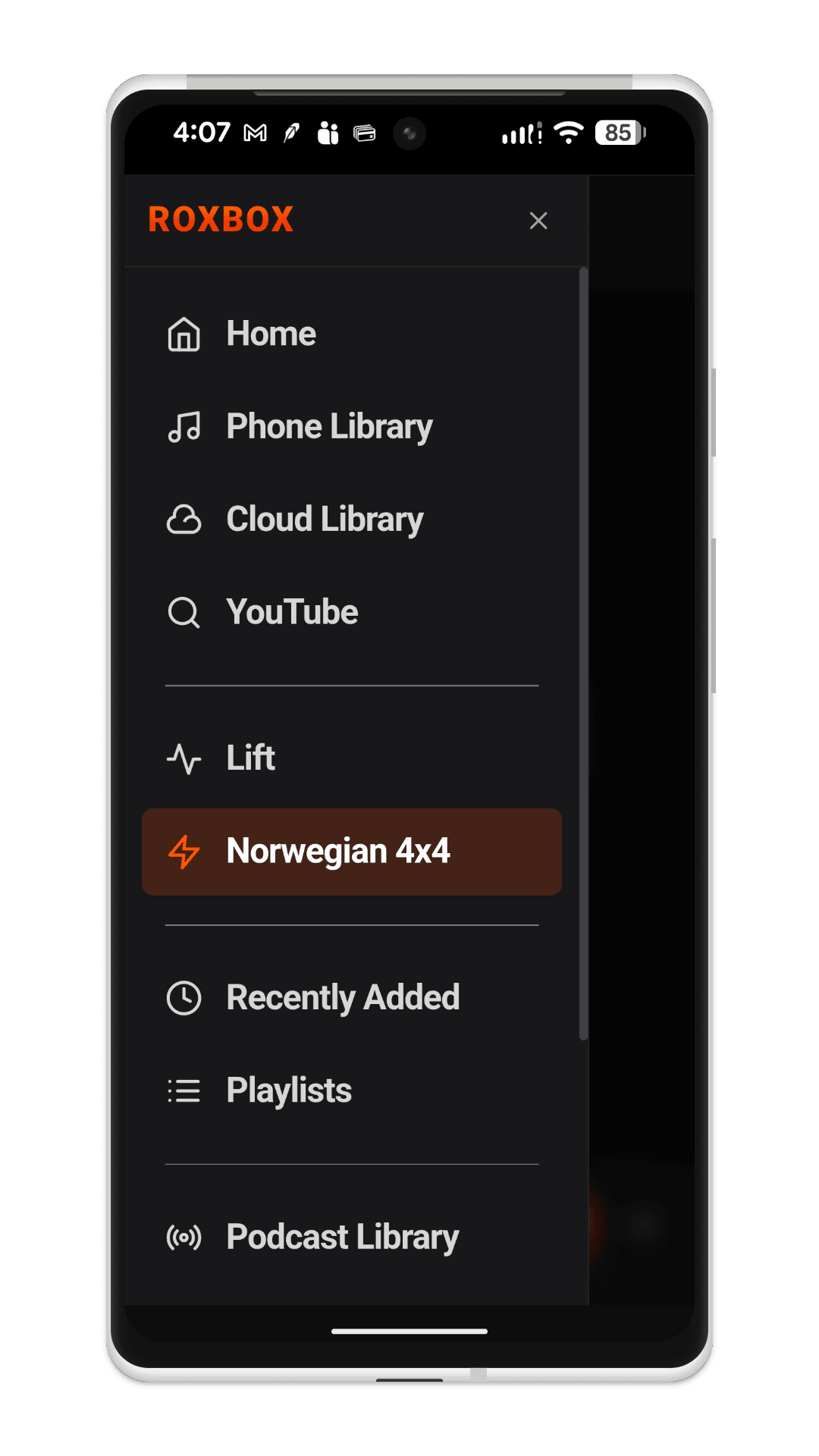
Beyond traditional playback, ROXBOX serves as a dedicated performance training tool with a built-in implementation of the Norwegian 4x4 High-Intensity Interval Training (HIIT) protocol.
To optimize your training, the application natively manages workout timers for Warm-Up, 4-minute Burn intervals, and 3-minute Active Recovery sets. By synchronizing these intervals with specific playlists, ROXBOX ensures your highest-energy tracks hit exactly when your heart rate needs to peak.
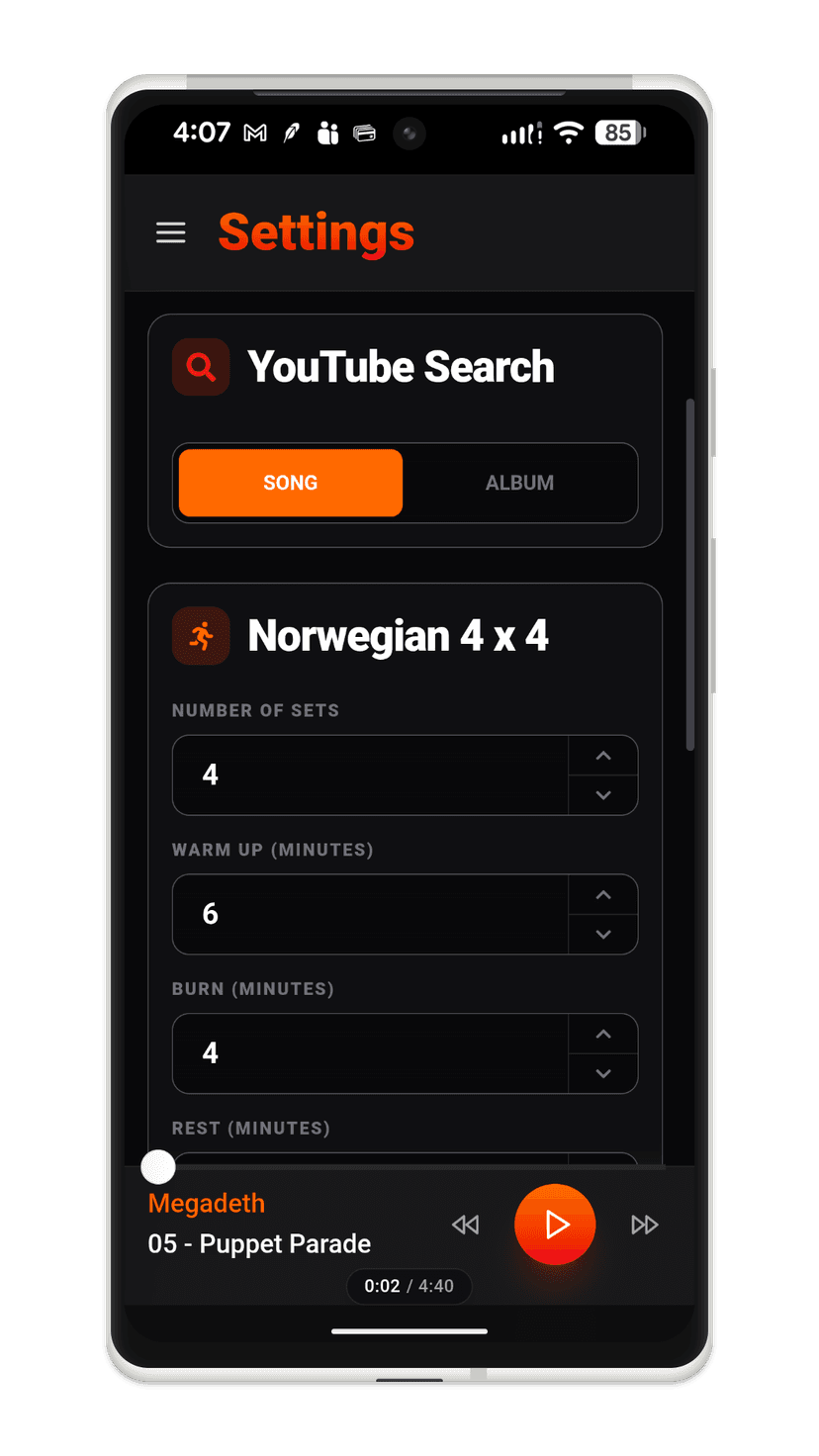
The system provides a seamless experience where songs automatically fade out at the end of each interval. Users can fully customize these intervals in settings.
Gym-Proof Resilience
To ensure zero data loss during high-intensity sessions where cellular signals might be weak, the application implements an Offline-First Logging Queue. If a workout completes while the device is offline, the app serializes the workout data to localStorage. A visibility-aware Background Heartbeat monitors the connection status, automatically "draining" the queue and syncing logs to Google Sheets the moment the user returns to Wi-Fi or cellular range.
Upon completing a session, the app logs the date and interval lengths to a Google Sheet. A nightly automated process then queries the Whoop API to retrieve and store heart rate and performance data directly into the spreadsheet for comprehensive tracking.
Fitness: Lift
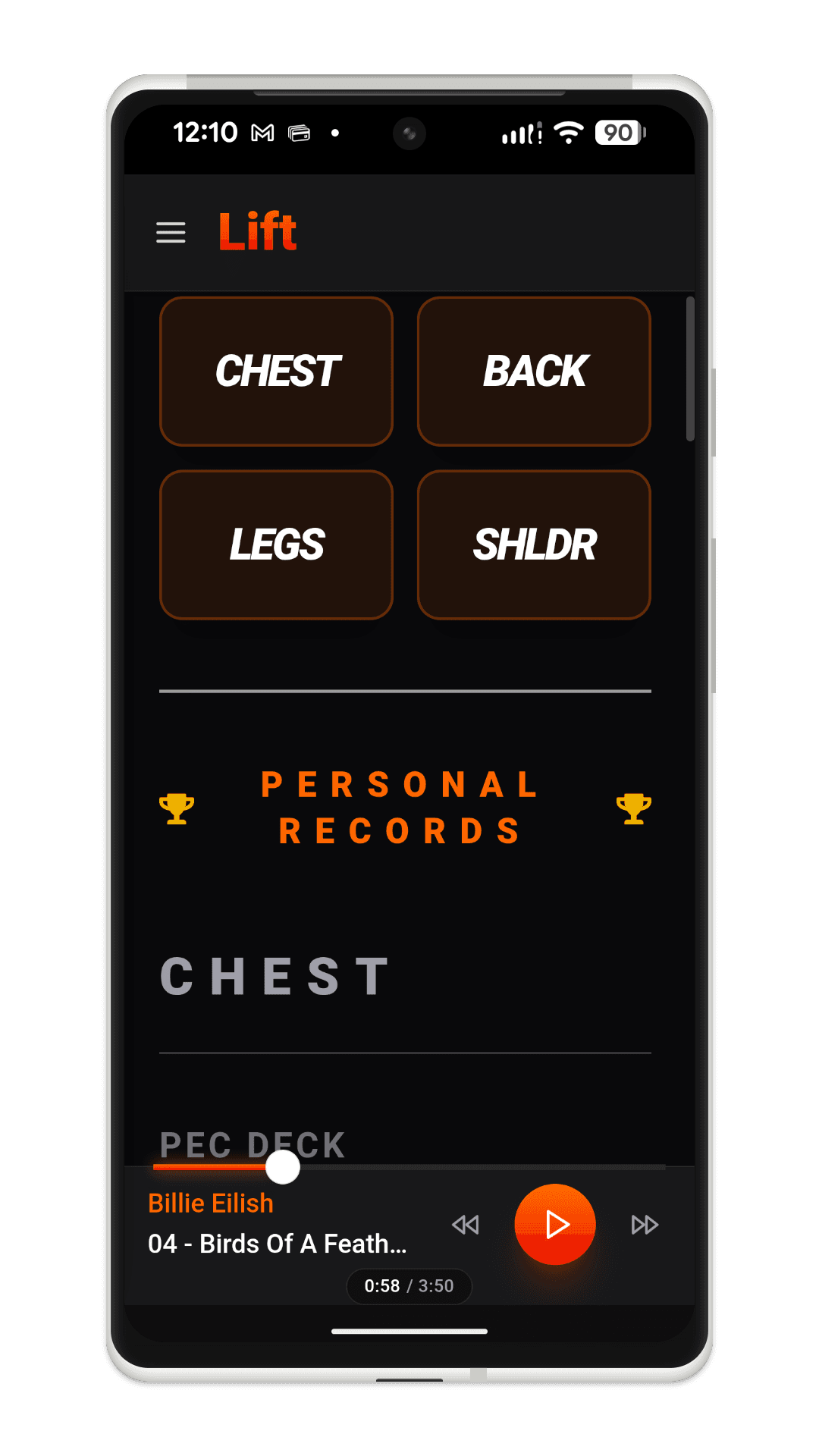
To further optimize your health and training, ROXBOX features a specialized lifting companion that tracks and guides your weightlifting sets.
The weightlifting module provides a streamlined interface for choosing specific workout regimes. It draws random tracks from a designated "Lift" playlist to keep the energy high. Between songs, the app displays brief 10–20 second instructional videos designed to motivate you and help you focus on the targeted muscle groups.
Beyond exercise timers, the ROXBOX facilitates long-term progress tracking by enabling users to document personal records. Every logged personal best includes a timestamp of the achievement, providing a historical record of strength gains over time.
Podcasts & Long-Form Audio
ROXBOX extends its management capabilities to podcasts and long-form audio. By utilizing the same S3-backed architecture, users can curate their own podcast feeds and audiobooks. The app maintains playback position and provides specialized controls for navigating longer tracks, ensuring a seamless transition between high-energy music and informative spoken word content.
Podcast Pro Transport
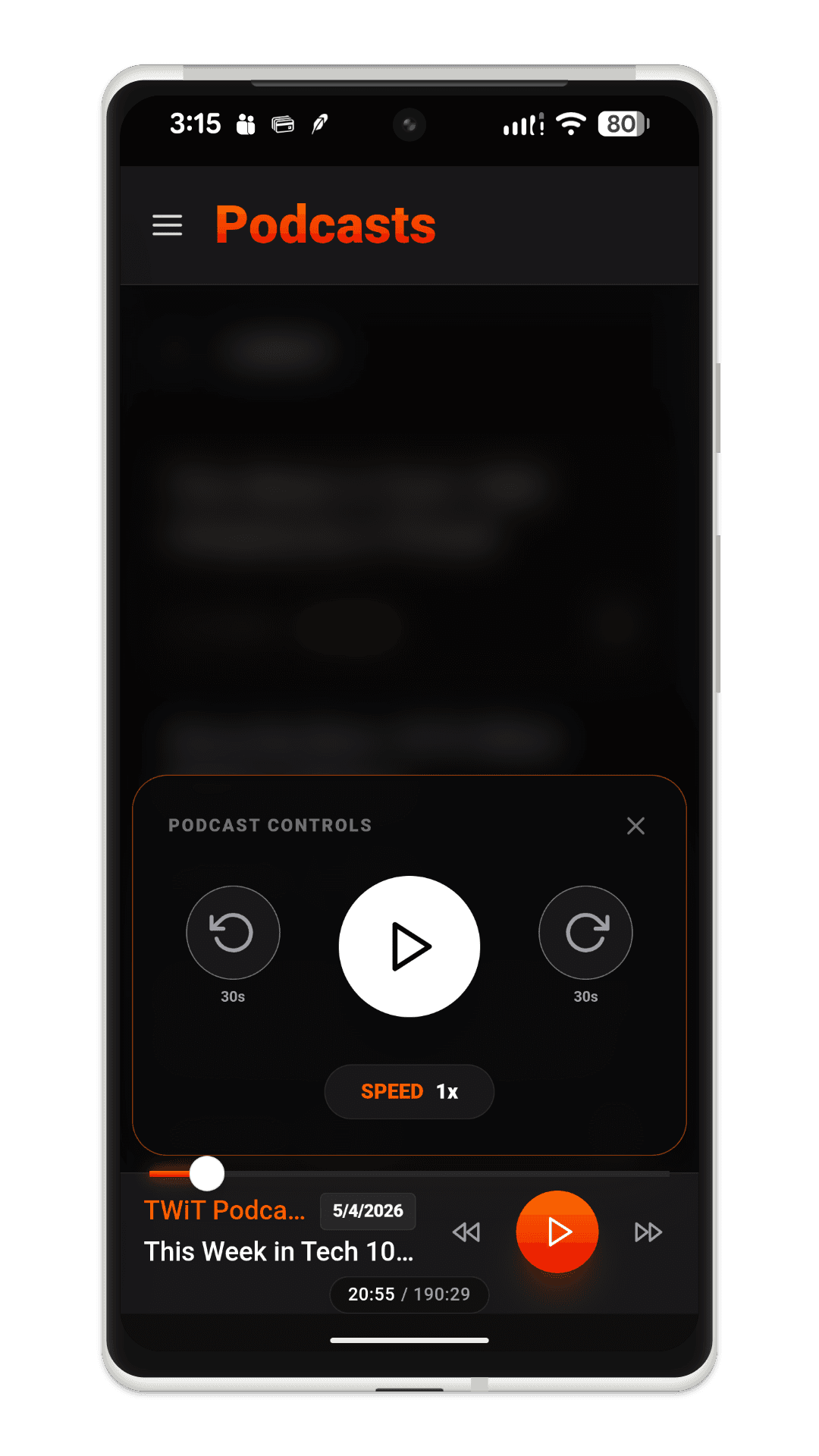
For long-form content, ROXBOX features a specialized "Podcast Pro" Transport. Activated by a long-press on the play button, a frosted-glass control panel slides into view, offering +/- 30-second skips and variable playback speeds (1x to 2x). This interface blurs the background library to focus on navigation and intent.
Classic Mode vs. Album Mode
To capture the nostalgic, tactile feel of physical media, ROXBOX provides two distinct user interface profiles designed for album enthusiasts: Classic Mode and Album Mode.
- Classic Mode: Presents a clean, information-rich interface optimized for quick queue management, listing tracks with high visibility.
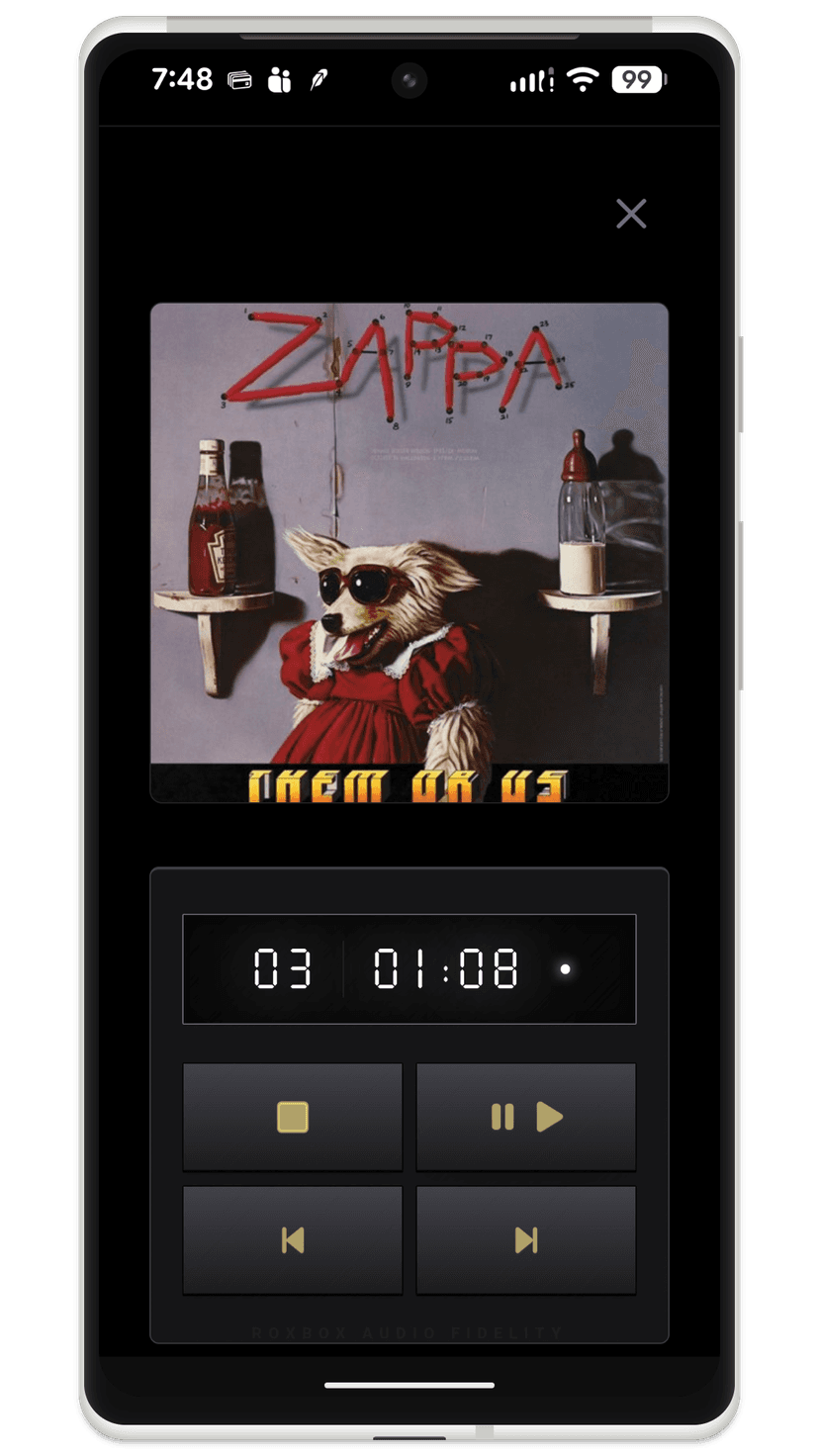
- Album Mode: Reimagines the visual footprint by focusing heavily on the album artwork. Inspired by the 80s CD player experience, this layout makes the cover art the main event, filling the screen with bold, glassmorphic design and keeping the artist's visual intent front and center.
Home Audio Extraction Server
ROXBOX features a home audio extraction server that extracts audio from YouTube videos and uses agent AI to determine the band name, album name, track name and number and album artwork. The server intelligently monitors the Cloud Library for updates and automatically synchronizes new audio tracks directly to physical USB devices.
To streamline the process, newly acquired songs are populated into a specialized "Recently Added" playlist. This allows users to easily identify new content and download tracks from the Cloud to their phone.
Summary & Lessons Learned
Building ROXBOX was an amazing journey. Most of this product was created in three weeks using Google Antigravity, which enabled me to quickly build and learn concepts that were completely outside of my wheelhouse. There were two large challenges that I had to overcome.
The first challenge was determining why the next song in a playlist would not play when the screen was locked. The application was using one audio player to play the current song and the next song. When the next song started to play, the audio player would read the mp3 file to determine the length of the song. When the screen is locked on my Google Pixel phone, the operating system switches to 2 efficiency cores which are extremely underclocked. As a result of this extremely throttled performance, the application took more than 3 seconds to scan the entire binary file and determine the duration of the song. In older mp3s, this metadata is at the end of the file. When the operating system detects that the audio player has essentially stalled, it kills the process, cutting off the next song. The solution is to use two audio players, one for the current song and one for the next song. 5 seconds into the current, the next song player determines the duration of the mp3 file for the next song and queues it up for playback.
The next biggest challenge was performing the agentic AI tuning. This was an area unknown to me and learning and determining the process was a bit challenging. The breakthrough moment was when I realized that I could have Antigravity create a separate agentic AI tuning app to help me fail fast and quickly build a ground truth.
On the downside, Antigravity was not perfect and would occasionally break things elsewhere in the application. But on the upside it would proactively do things for the better. For example, while styling a clean download button, it automatically unified and matched the style of all buttons across the application on its own accord.
Antigravity was highly productive. The similar song feature was implemented in an older application. I simply loaded both applications into Antigravity and instructed it to copy the similar song search feature. It completed this task instantly.
On the infrastructure side, UDP holepunching is a clever way to create a secure UDP mesh network bypassing network constraints enforced by home routers. Since every hostname on a Tailscale network must be unique, adding a small GUID to the hostname for the Lambda function ensures that multiple Lambda invocations will execute properly. It is also necessary to configure the Lambda functions as ephemeral hosts in Tailscale.
Finally, Ollama proved to be an exceptional tool, treating AI models like Docker containers. Ollama is for Application Developers who just want to use a model instantly and reliably without any of the low-level math or driver overhead found in TensorFlow or PyTorch. Ollama makes it easy to load and run AI models using standard, stateless JSON web calls. Ollama llama. Really?